A working brief, cited to the case file.
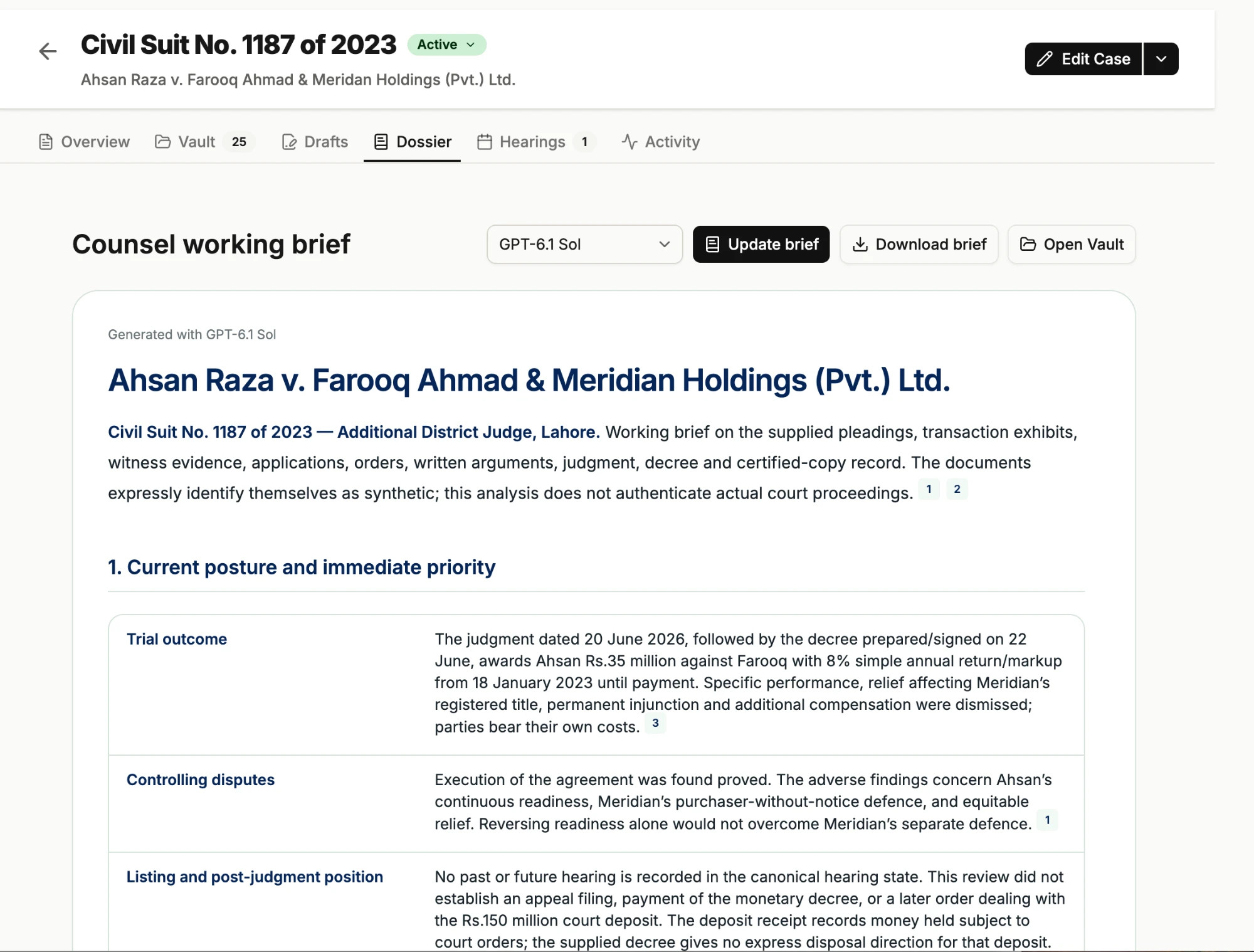
CaseOps reads the documents in the Case Vault and writes a brief for counsel: where the matter stands, what is still in issue and what comes next. Open the source behind a point straight from the brief.
How the brief works
Starts after import
After a Case import, the first brief starts on its own once enough of the papers are read. Or generate one yourself.
Cited to the record
Points cite the Vault documents and judgments they rely on, listed under the brief.
Open the source
A cited Case document opens in the Vault; a cited judgment opens in a reader beside the brief.
Update when papers arrive
Update the brief after new documents land. If an update fails, the last ready brief stays.
Runs in the background
The brief is written on a background worker, so you can leave the page while it runs.
Editable in Word
Download the brief as a Word document to edit, annotate and keep with the file.
A cited brief, written from the Vault.
After a Case is imported from its papers, CaseOps reads the Vault documents in the background and writes a working brief: the current posture, the live issues, each party’s position and the next steps, citing the documents it relies on. Update it when new papers arrive and download it as an editable Word document.
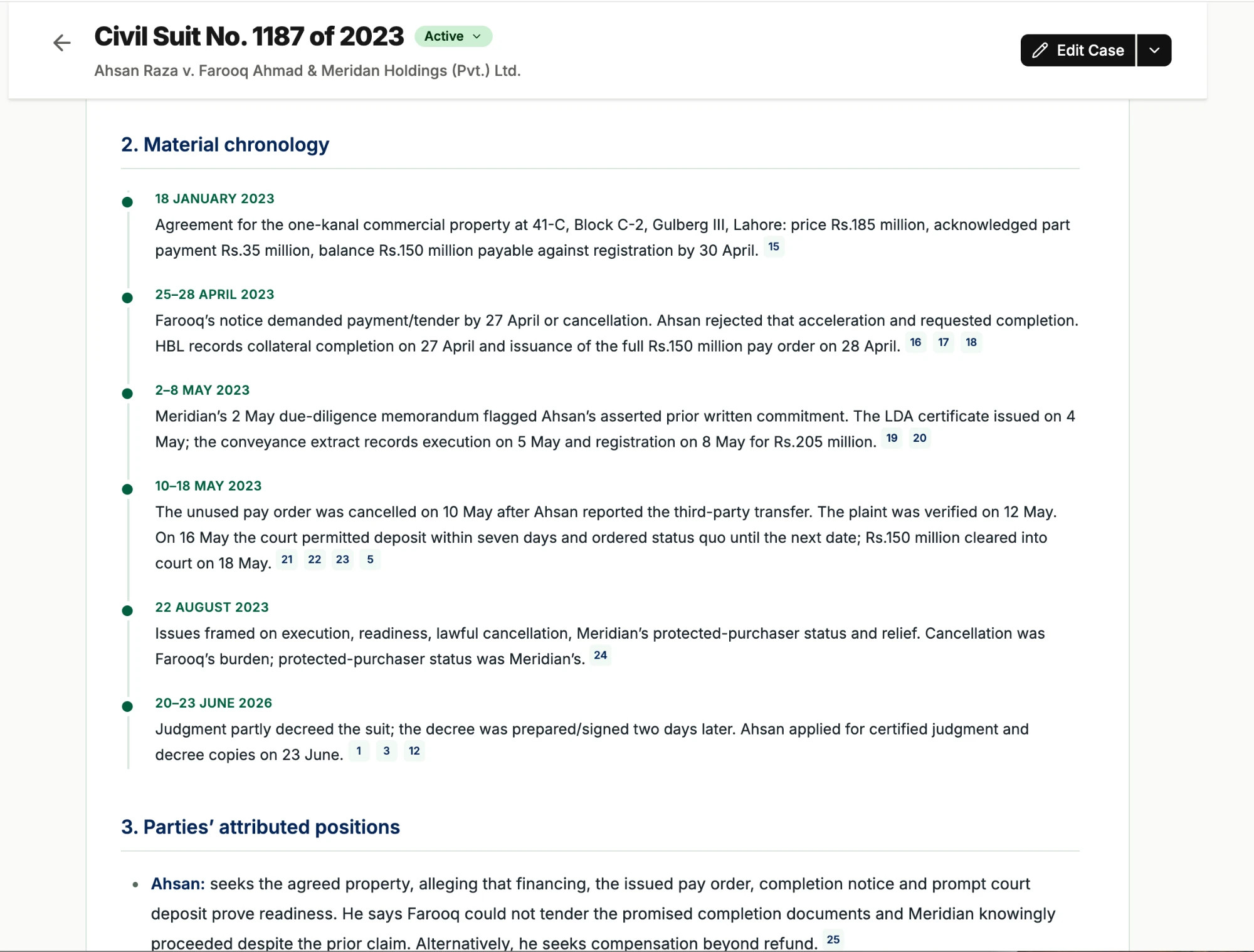
What the record decided, and what is still arguable.
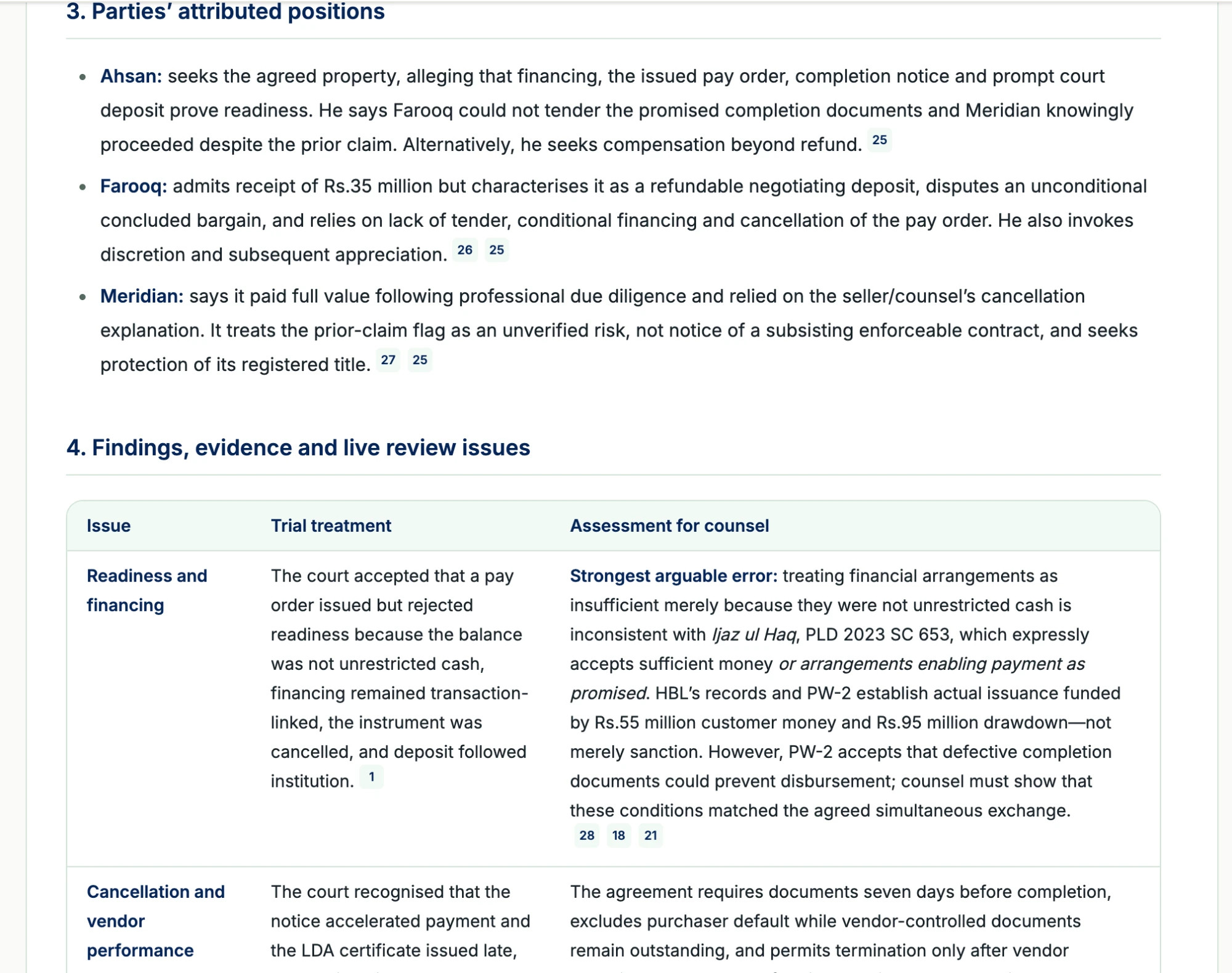
For each live issue the brief sets the trial treatment beside an assessment for counsel, with each party’s position attributed and every point tied to the document it rests on.
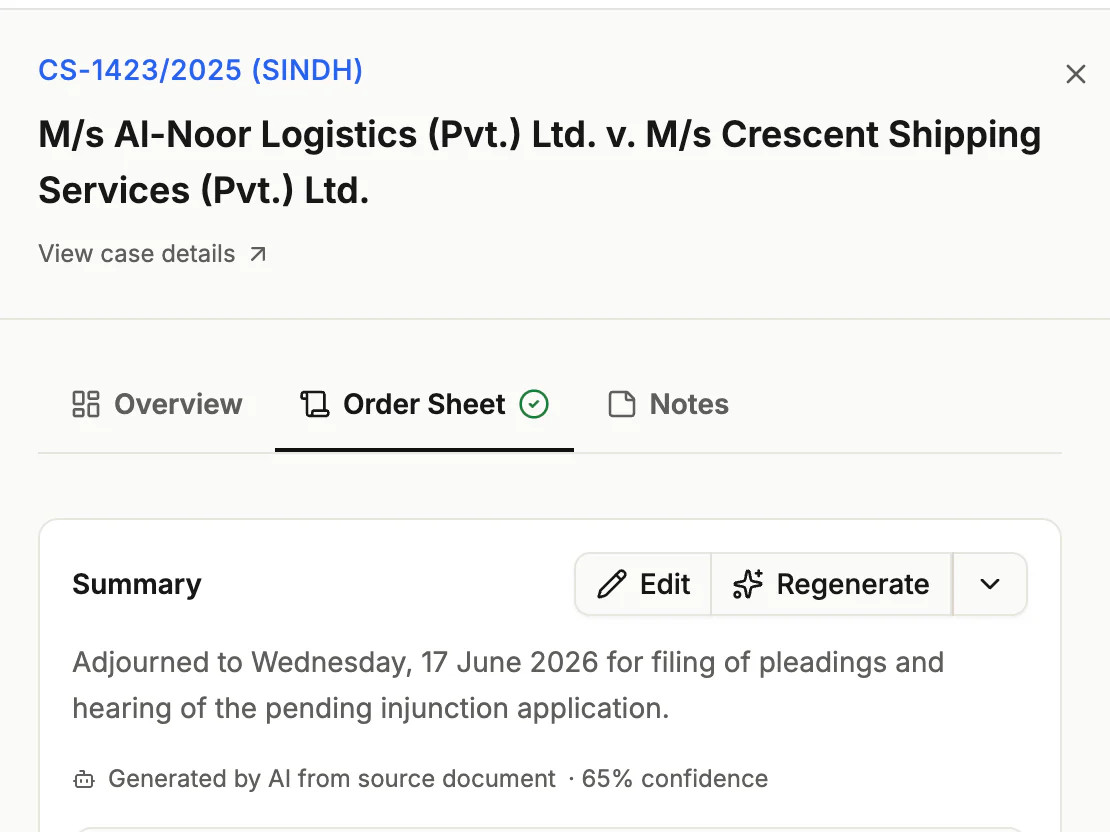
Every order, summarised from its source.
Each order sheet is summarised against its hearing from the uploaded document, with the next date, so you can check the posture before walking into court.
See a working brief written from a case file.
Book a demo to walk through a brief on a synthetic Case and open the sources behind it.