Drafts that show their work, ground by ground.
Start a First Appeal or a Reply from the Case. CaseOps reads the case record and Pakistani law, drafts the document section by section, ties its grounds to their sources, and leaves you in control of every word.
CaseOps drafts; counsel decides. What only you can supply is marked LAWYER INPUT REQUIRED, and nothing is filed for you.
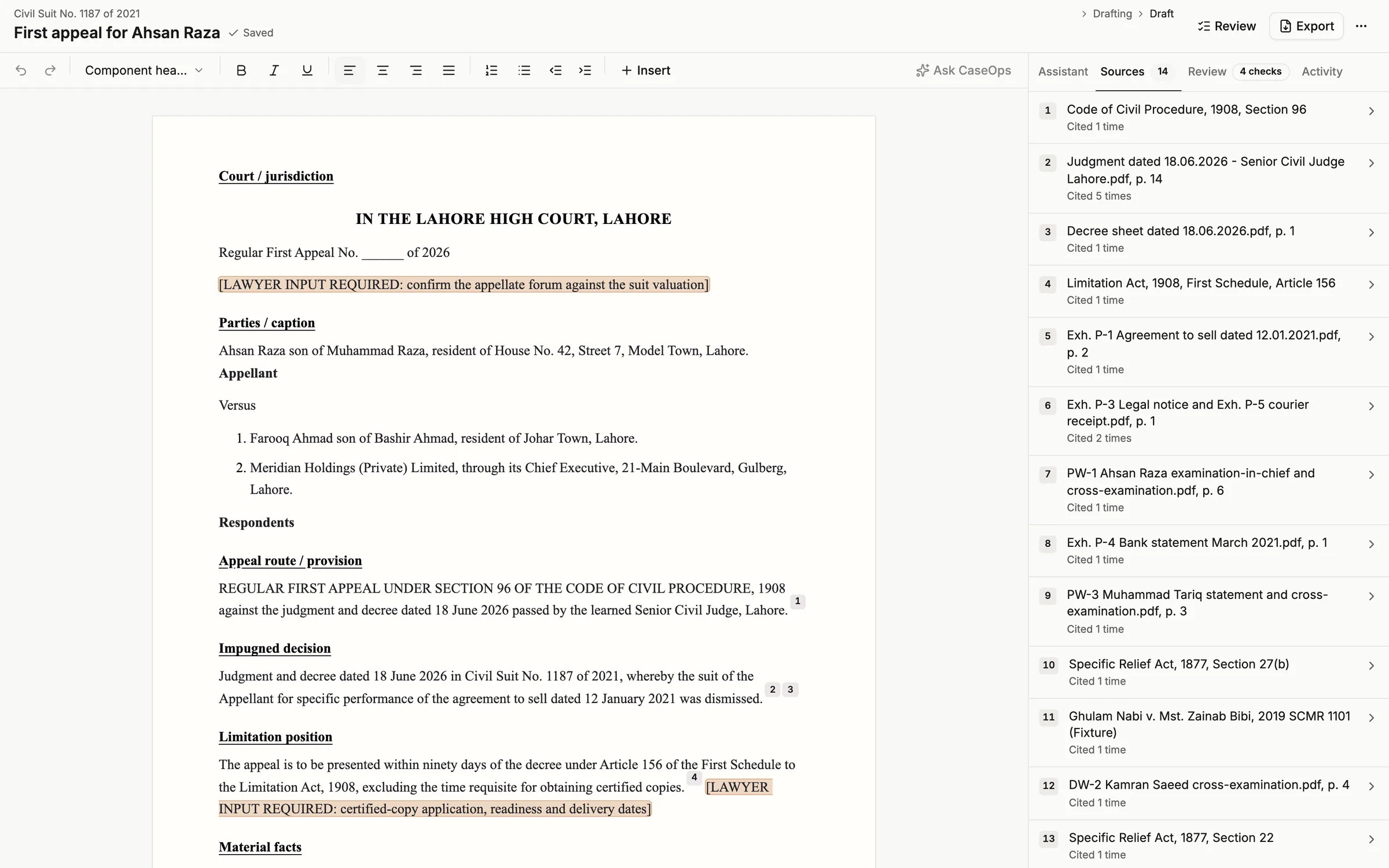
Built for the way pleadings are actually prepared
Start from the Case
Drafting reads the documents in the Case Vault and the law around them, so the pleading starts from your record rather than a blank template.
Watch it take shape
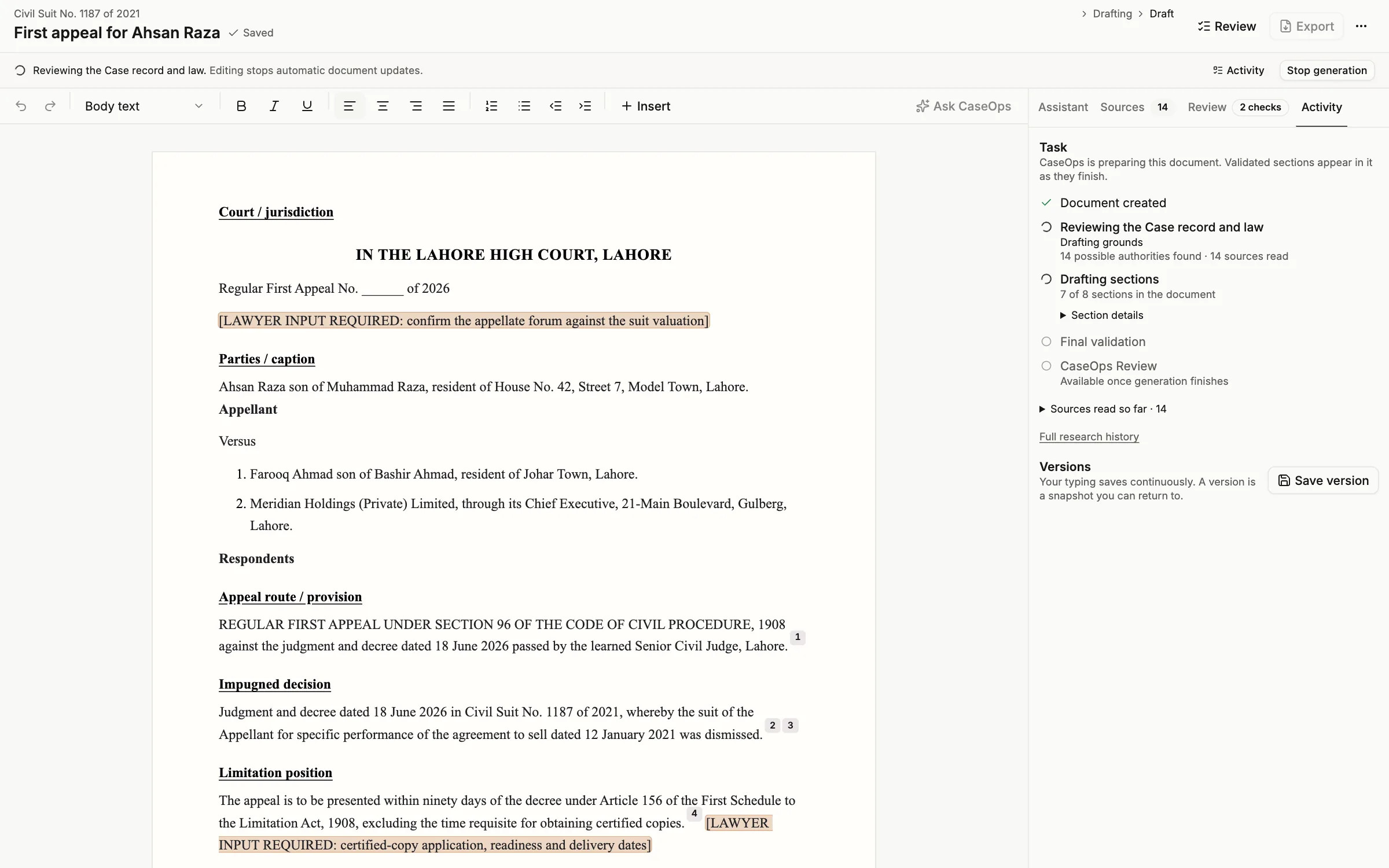
Validated sections appear as they finish, with the sources read so far, and you can stop generation at any point.
A real document editor
Edit the draft directly, ask CaseOps about a selected passage, and accept or reject proposed revisions shown as a redline.
Citations you can open
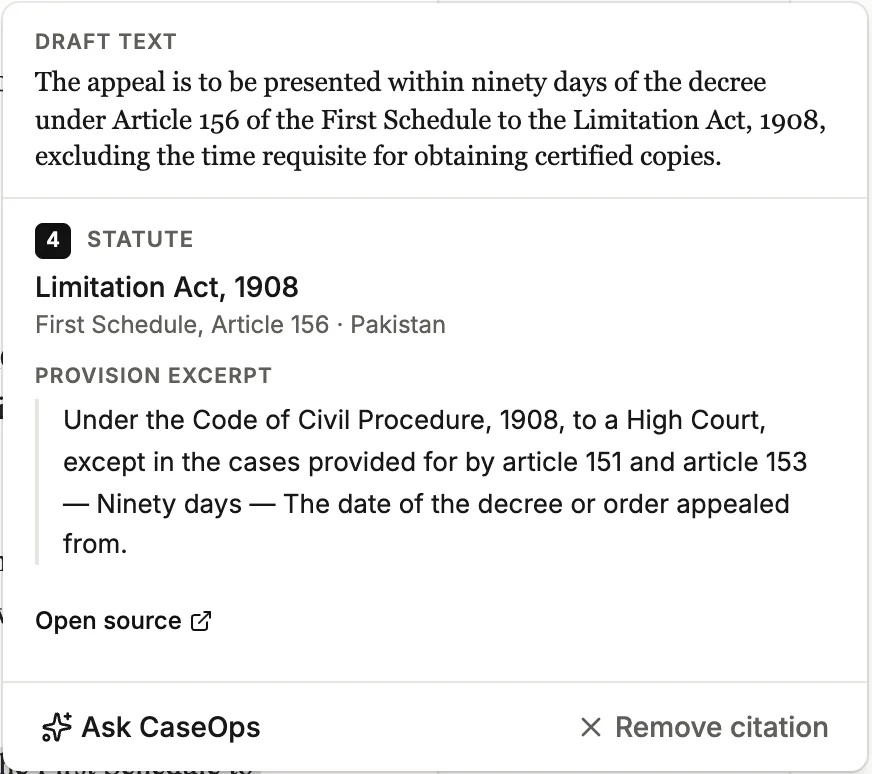
Each numbered citation opens the draft sentence beside the statute excerpt or record page it relies on.
CaseOps Review
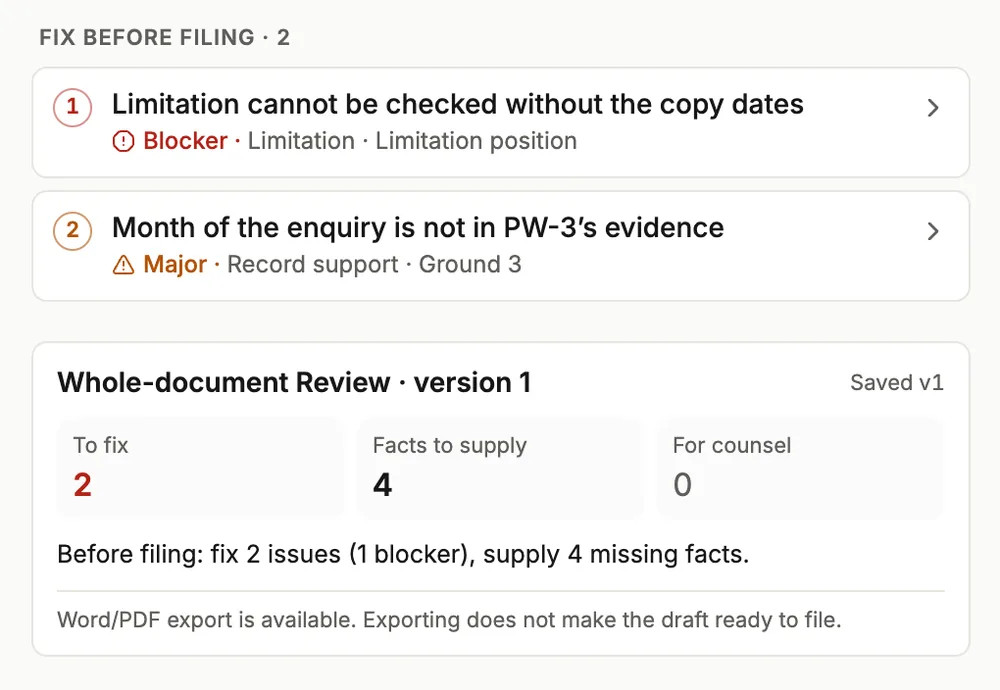
Review the saved draft against the Case record and the law; findings come with their sources for counsel to weigh.
Word and PDF
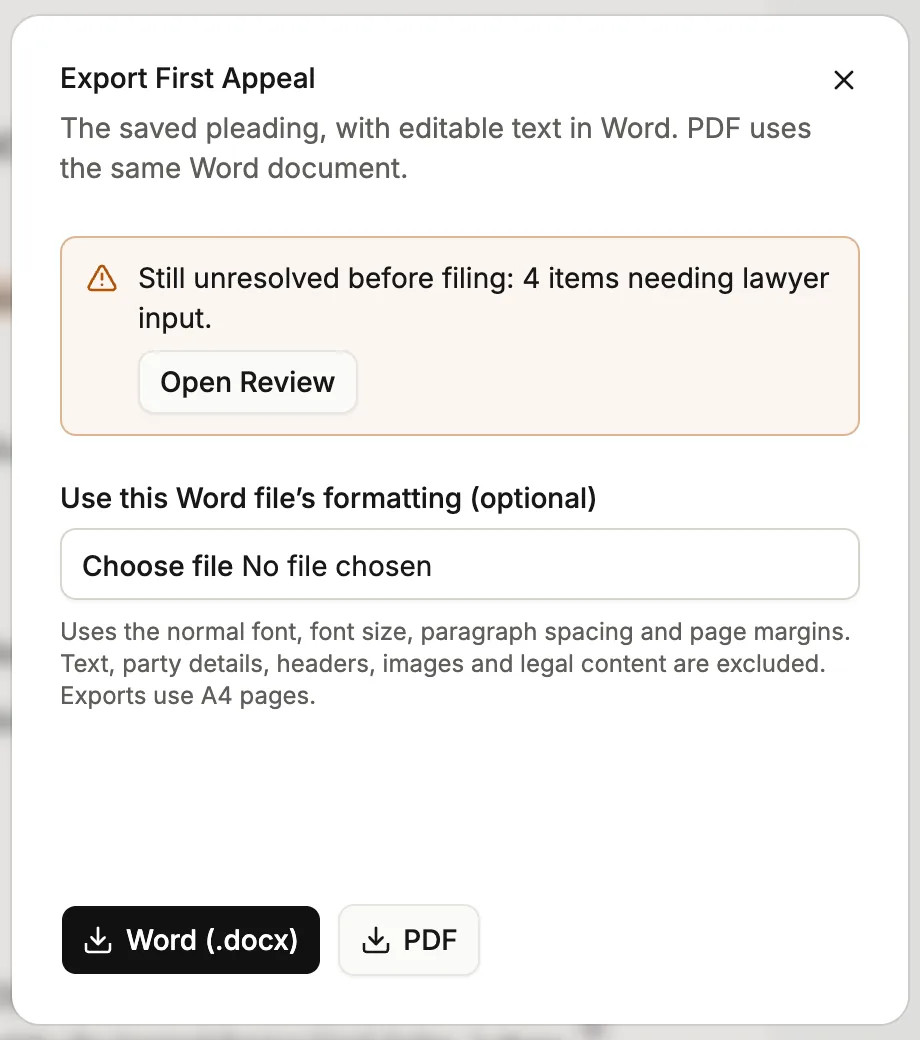
Export editable Word or PDF, optionally using your own Word file’s formatting. Unresolved items stay flagged.
Drafted section by section from the case record.
The Activity panel shows CaseOps reviewing the Case record and law, then drafting and validating each section. Gaps are marked for counsel instead of being filled with guesses.
- Case record and law read first
- Sections appear as validated
- Stop generation anytime
Open the source behind a ground.
Select a citation to compare the draft sentence with the statute excerpt or record page behind it, and open the full source from there.
Findings to weigh before you file.
CaseOps Review lists what to fix before filing, from blockers to facts still to supply, each with the sources behind it. You decide what changes.
Export to Word or PDF.
The export carries the saved pleading as editable Word text, and warns you about anything still needing lawyer input.
See a First Appeal take shape.
Book a demo and we’ll walk through drafting, sources, CaseOps Review and export on a synthetic case.