Open the source behind every legal output.
CaseOps shows the judgment, statute, or case document behind the output, so the lawyer can open the source before relying on the answer.
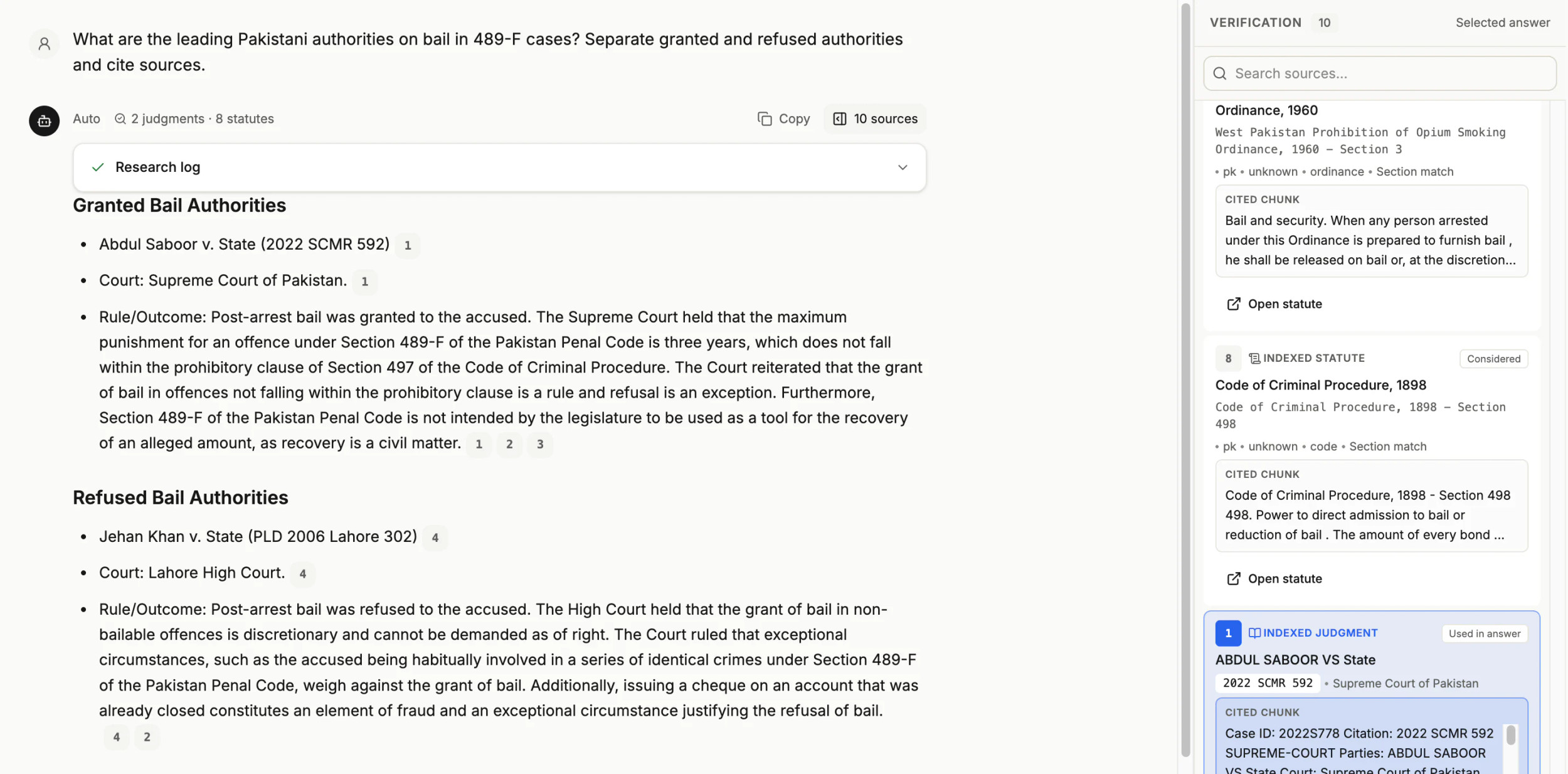
Receipts on every answer
Cited answers
Every claim carries a citation back to the source it came from.
Source cards
Open a card to see the judgment or statute behind the answer.
Used vs considered sources
See which sources shaped the answer and which were only considered.
Judgment and statute views
Read the full judgment or the exact statute provision in place.
Lawyer review before reliance
The workflow is built so a lawyer verifies before relying on output.
No source, no claim
Legal statements are grounded in retrieved sources, not invented.
Open the source behind the answer.
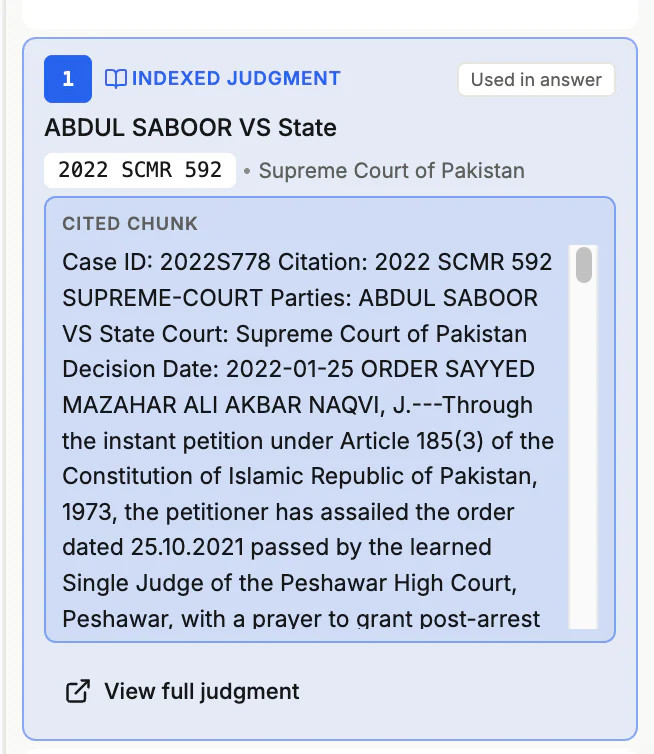
A source card shows exactly which judgment grounded a point, so you can verify it in seconds.
- Judgment identity and citation
- The relevant passage
- Link to the full text
- Used vs considered
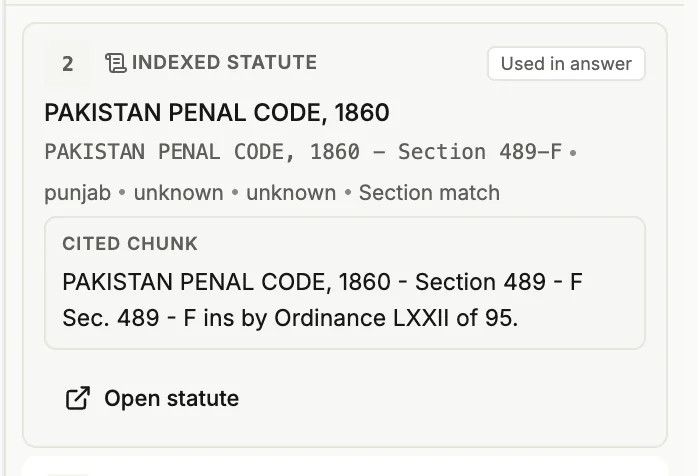
The exact provision, in place.
Statute cards take you to the precise section, so a statutory answer can be checked against the text.
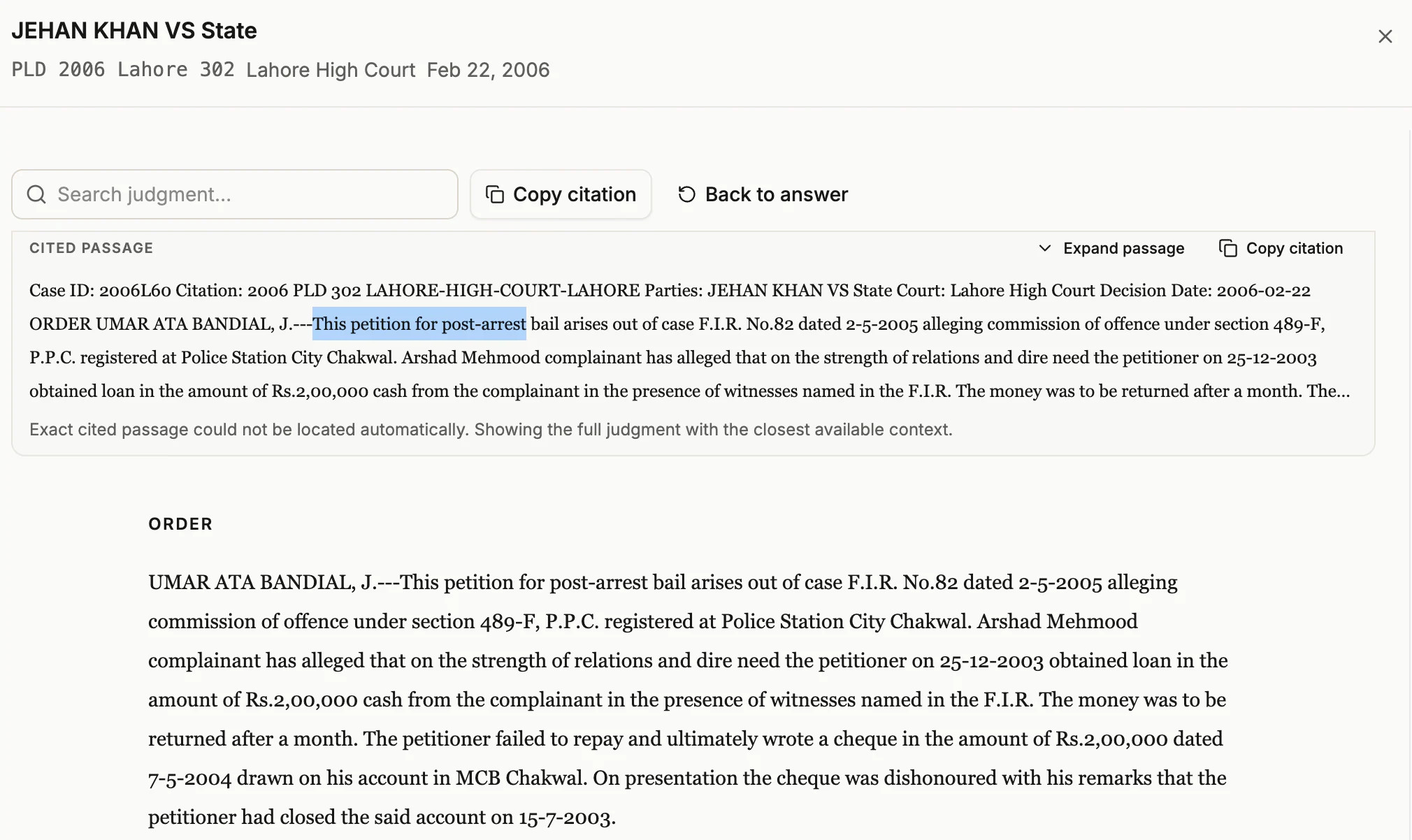
Read the whole judgment.
Open the full judgment view to read around the passage and confirm it supports the answer.
Verify before you rely.
Book a demo and open the sources behind a real source-backed answer.